To apply for a loan, ensure that your profile is up to date. This can be done by clicking Profile under Actions on the navigation pane.
Upload your Scanned National ID as shown in the figure below.

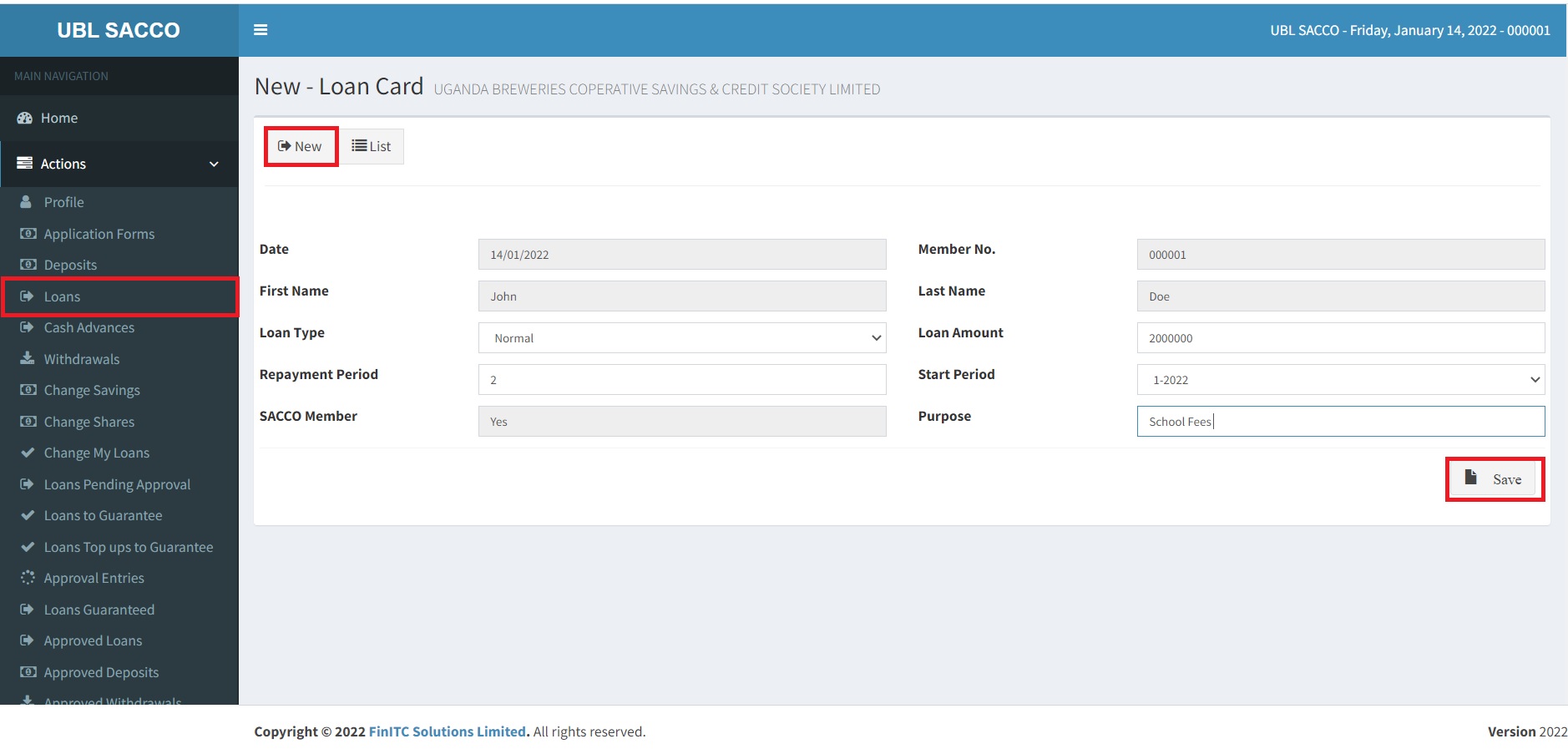
To Create a Loan, Click Loans under Actions on the Navigation Pane.
Click New to create a new loan.
Enter the loan details such as the Loan Type (Normal or Top Up), Loan Amount, Repayment Period, Start Period, and the purpose of the loan.
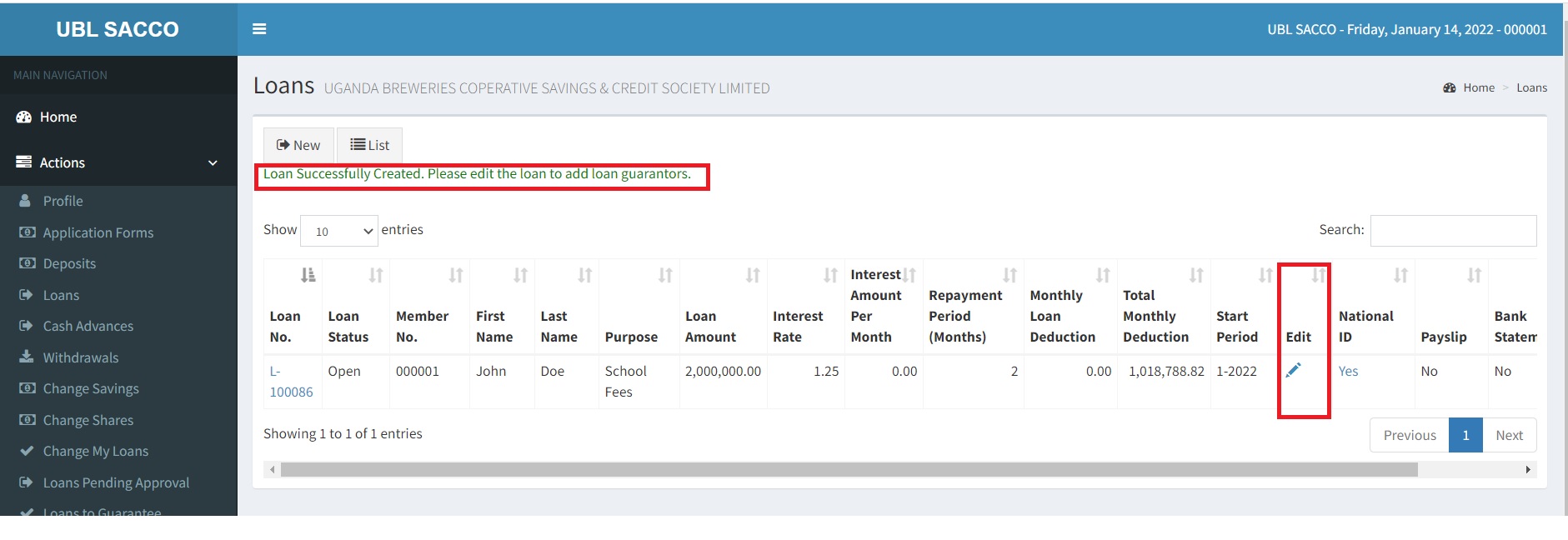
Click Save to record the loan application in the database.
Add Loan Guarantors.
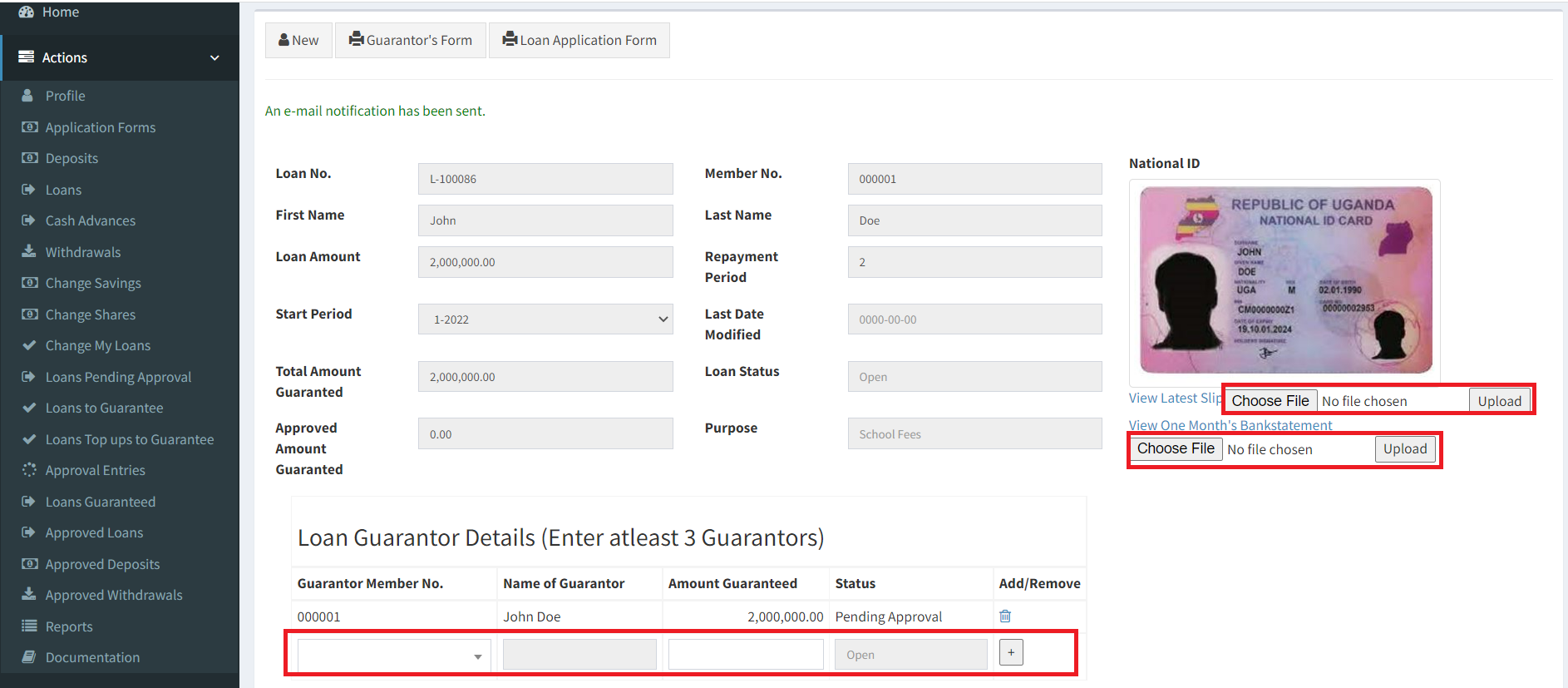
Before adding the loan guarantors, ensure that you have uploaded your latest payslip and one month's bank statement. Add the loan guarantors as shown below. If your savings can act as security, you can also add yourself as a guarantor.
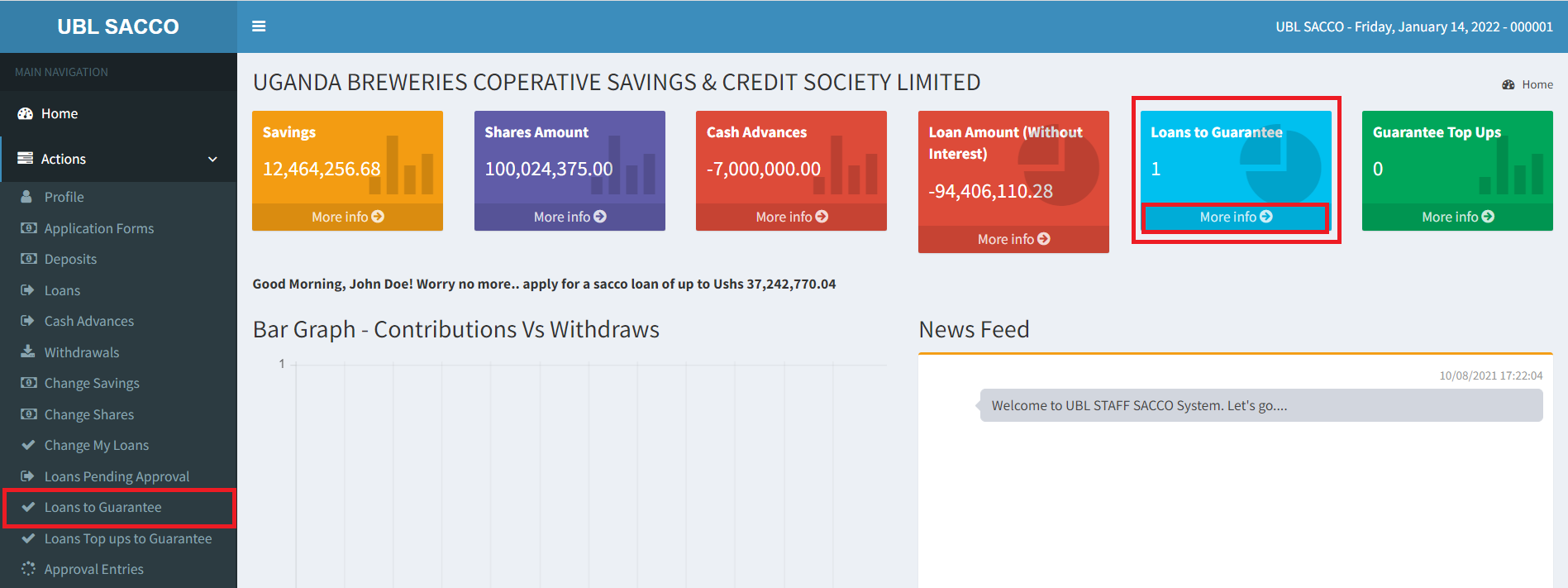
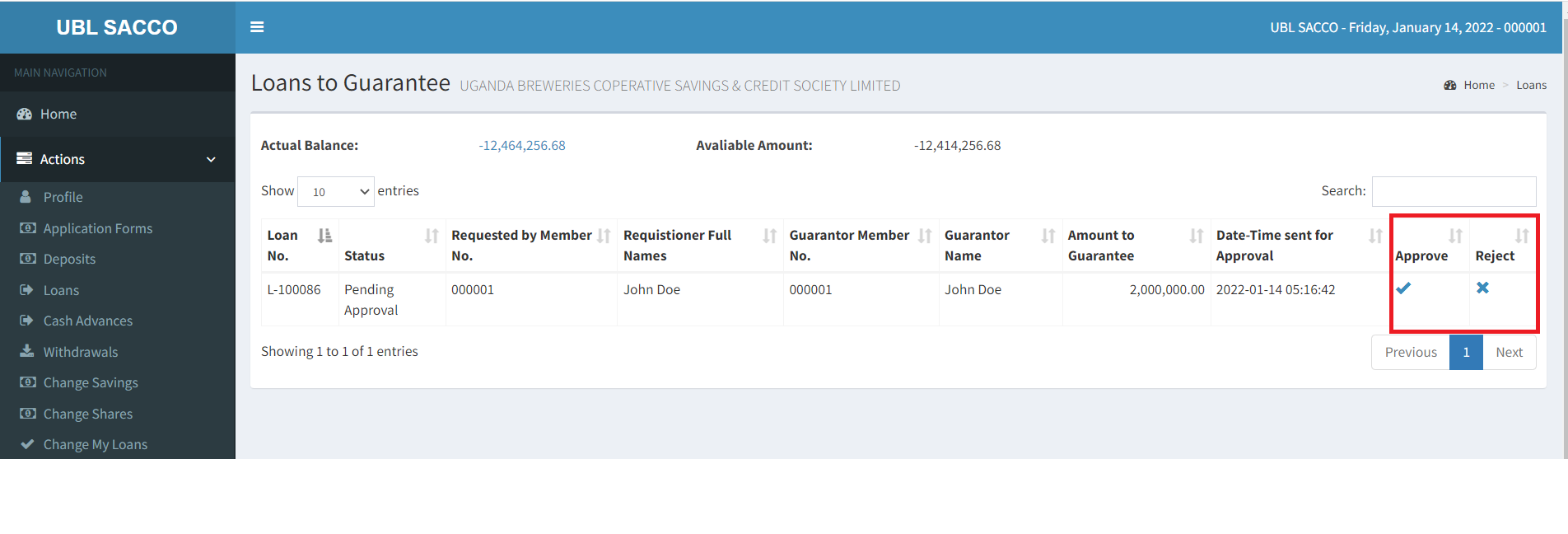
The loan must be approved by the loan guarantors. This can be done in two ways.
1. By Clicking the More Info under Loans to Guarantee.
2. By Clicking Loans to Guarantee on the Navigation pane. See image below.
Note that if the member added themselves as the guarantor, they also have to approve themselves.
The guarantor can choose either to approve or reject the request.
Once all the guarantors have approved, this will send the loan to the Sacco administrators and then the committee members where the loan will also be reviewed, approved and payment made.